

Authentication & Authorization
Creating API credentials
- Go to https://app.trusto.io and open Settings → API Credentials.
- As an Organization Owner, generate an API key for your organization.
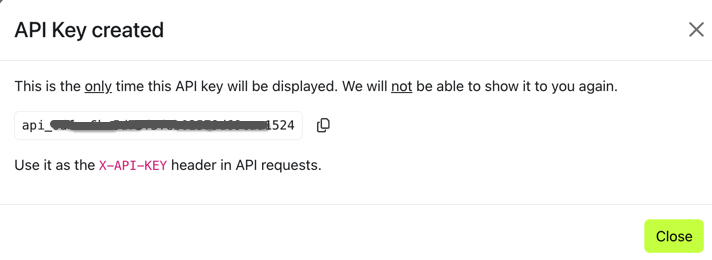
- Save the key when it is created. It cannot be viewed again.
- Send the key in the
X-API-KEYheader with every API request.
https://api.trusto.io.
Alerts
Retrieve all alerts
Returns a paginated collection of alerts available to the organization associated with the API key.Endpoint
GET /api/v1/alerts
Request headers
Query parameters
Sample request
Response
outcome property is null until a resolution is recorded. The list response also includes hoursLeft, which is 0 after an outcome exists.
Retrieve an alert by ID
Returns one alert, including its currentoutcome.
Endpoint
GET /api/v1/alerts/:id
Sample request
Resolved alert response
Resolutions
Provide an alert resolution
Records a resolution for an unresolved alert and returns the updated alert with its nestedoutcome.
Endpoint
PUT /api/v1/alerts/:id/resolution
Request headers
Path parameters
Body parameters
When
refunded is INVALID, use one of these resolution values:
Resolution results
Refunded request
Invalid request
Response
A successful request returns the updated alert object. Itsstatus reflects the decision, and its outcome contains the stored resolution details.
A resolution submitted for an alert that already has an outcome returns a conflict error. Provider failures return a bad request error and the resolution is not retained.
Webhooks
Webhooks enable organizations to receive event notifications about subscribed entities.Supported events
Webhook authentication
Trusto can send either Basic Authentication or custom headers configured for the webhook endpoint.Appendix
Alert types
ETHOCA_CONFIRMED_FRAUDETHOCA_CUSTOMER_DISPUTEVERIFI_DISPUTEVERIFI_CANCELVERIFI_DISPUTE_NOTICEVERIFI_FRAUD_NOTICEVERIFI_CANCEL_NOTICE