
Match the alert to a transaction
Search payment records using the strongest available identifiers.
Masked card details mean the BIN and last four digits. Use the merchant’s card acceptor ID (CAID), when available, to narrow candidates.
Allow for date-only values, midnight placeholders, and timezone differences. For different currencies, compare using the exchange rate at the transaction time; a 1–2% variance can help identify candidates. Adjust search windows gradually.
If multiple candidates remain, review them before refunding. If none can be verified, follow Not Found below.
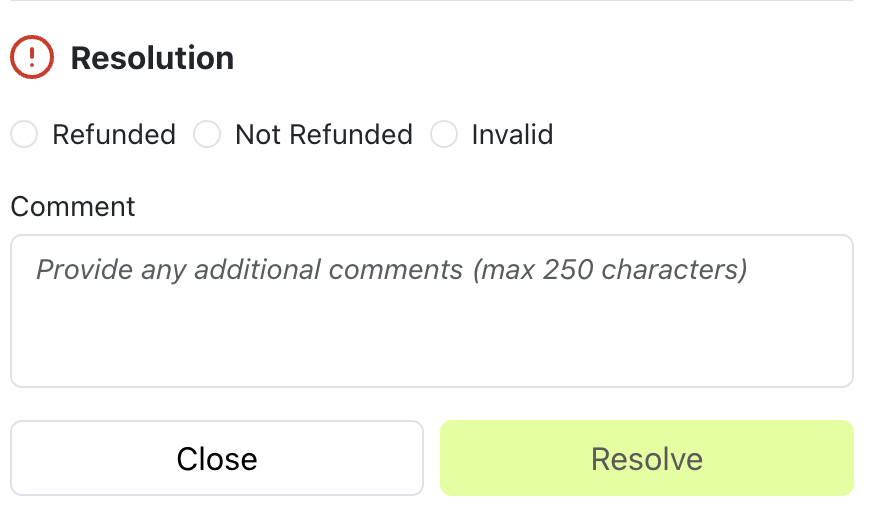
Resolve the alert
Work alerts within 24 hours
Trusto recommends working every alert within 24 hours, including recording the outcome and processing a refund where applicable. This gives the refund notification time to reach the issuer and helps prevent a chargeback. Alerts are marked as expired after 24 hours. Act promptly: a refund does not guarantee that a chargeback will be prevented.Check for an existing refund or chargeback
Before issuing a refund, check whether the payment was already refunded, whether a chargeback has already arrived, or whether another alert refers to the same transaction. Use the relevant Invalid reason below when applicable.Refund the full alert amount
When refunding, process the exact value shown on the alert. For example, refunding only USD 10.99 against a USD 19.99 alert may still result in a chargeback. Any tolerance used to identify a candidate transaction is for matching only; it does not change the amount to refund. If the alert and payment currencies differ, confirm the correct refund handling with your payment provider before processing it.Confirm the refund succeeded
Check the payment provider or acquirer confirmation before recording Refunded. A submitted refund request alone is not confirmation that the refund completed. Record the outcome in Trusto and communicate the refund to the customer.Choose the resolution status